How to Turn Google Reviews Into Social Media Posts
By the CredibleAI team ·
To turn Google reviews into social media posts, quote the customer word for word over a job photo and add one line of thanks. Ask the customer before you post it. If they say no or do not answer, leave the review on Google and post something else.
What are the steps to turn Google reviews into social media posts?
Copy the review from Google, ask the customer, pair it with a matching job photo, and post it on Facebook and then Instagram. The first post takes a few minutes, and later ones go faster. These steps are also how to share Google reviews on Facebook without changing a word.
- Find the review on Google. Open your Google Business Profile listing and scroll the reviews. Pick one that names something specific, such as the leak, the tear-off or the cleanup.
- Copy it word for word. Paste the text into a note and do not edit it, grammar and spelling included. If a typo would confuse a reader, add [sic] right after it.
- Ask the customer. Text them that you would like to share the review, as the next section shows. Move on only after they say yes.
- Pick a job photo that matches. Use a photo from that customer's job. If you have none, a photo of the same kind of job works only when the caption says "a similar job" and does not suggest it is the customer's house. Check the frame for a house number, a license plate and faces.
- Put the quote on the photo. Set the quote in a plain text box on any phone editor, large enough to read on a phone, over the sky or a clear stretch of deck. Add the first name and last initial under it, with one quote per picture.
- Write a one-line intro. Something like "Thank you, Dave." Then stop, or add the town or the type of job.
- Post it on Facebook. Start a new post on your business page, paste the intro and the quote in quotation marks, and add the photo. Check the quote matches the review letter for letter, then publish.
- Post it on Instagram. Use the same photo and the same caption, kept short, because most people read only the first couple of lines. Choose the better of your two photos for it.
Menus and button names in both apps change from time to time, so look for the usual "create post" option on each. The order stays the same even when the screens do not.
Why does a review post work better than a normal post?
A review post works because the words belong to the homeowner, not to you. A normal post says "we do good work." A review post says "here is what the customer said."
That is also why you must not touch the words. The moment you tidy the wording, it is your copy again, and the one thing that made it worth posting is gone.
A good review post has three parts: the exact quote, a photo of that job, and one plain line from you. Here is a sample. The company and the review are both examples, made for a demo company.
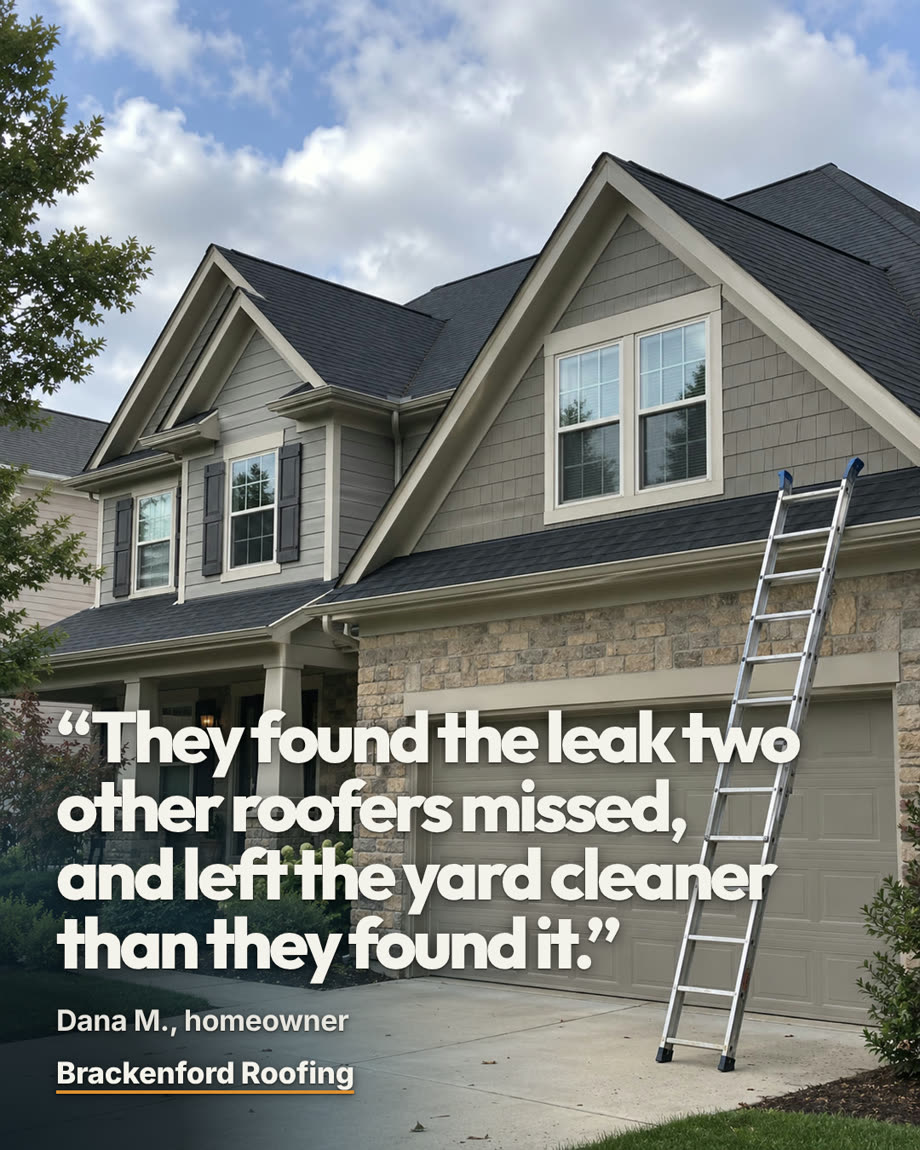
Notice what the post does not have: no logo wall, no "5 stars!!!" banner, no long speech. The quote does the work.
There is a second reason it pays off. A wall of job photos shows the work, and a few quotes from named customers set beside them show that people were glad they hired you. That pairing gives a stranger something real to read before picking up the phone, which supports roofing leads from social media.
How do I ask a customer if I can post their review?
Ask by text on the day you spot the review, because a public Google review is not permission to use it on your page. It takes one message. Some customers will decline, and they will remember that you asked.
Send it while the job is fresh. Something like: "Hi [first name], thank you for the review. It meant a lot to the crew. Would you mind if we shared it on our Facebook and Instagram page, with a photo of your roof and your first name and last initial only? No address, nothing else. If you'd rather we didn't, that's completely fine."
Use first name plus last initial only, like "Dave R." Never the full name, never the street. If the customer says no or does not answer, leave the review on Google and post something else. Save the reply in the job file; a text that says "sure, go ahead" is enough.
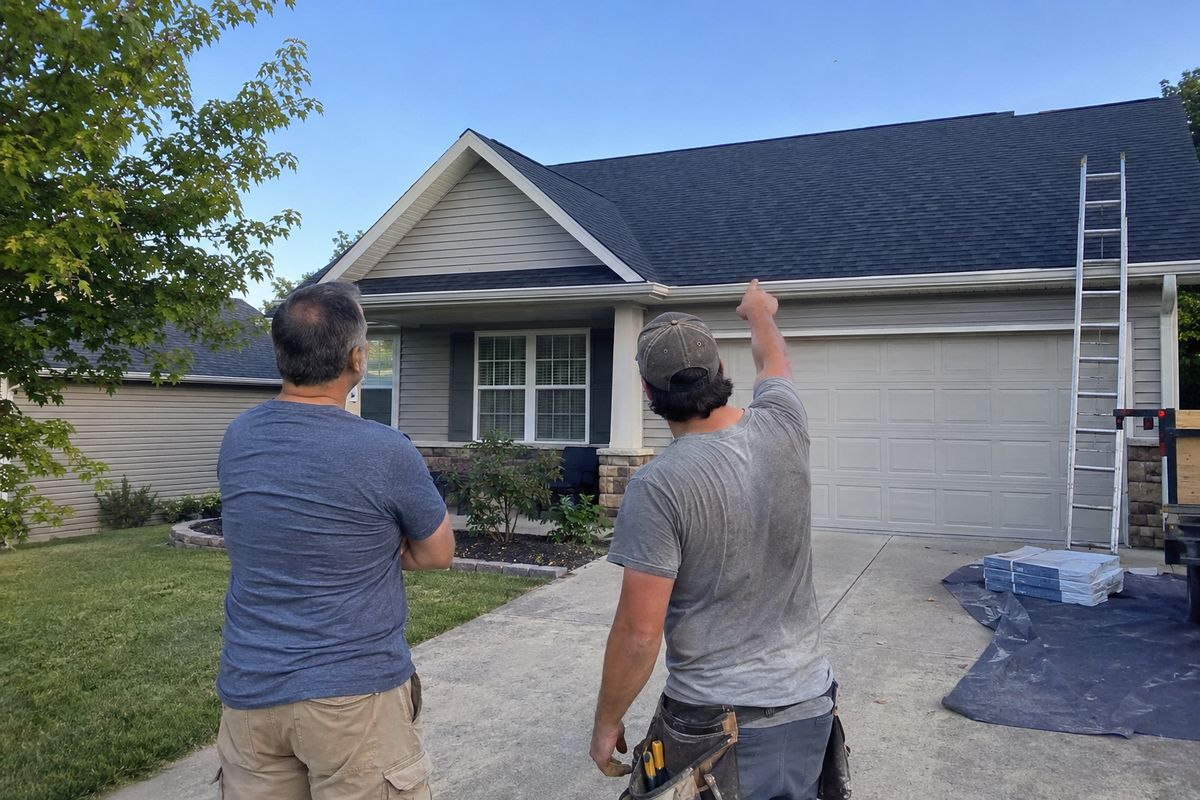
Photo permission and privacy, such as house numbers, faces and license plates, work the same way for every job picture, and the guide to before and after roofing pictures covers them in full. If you already ask for photo permission at the estimate, add one line about reviews to the same conversation. Then you only ask once.
Which roofing reviews fit which kind of post?
Post a short review as a thank-you, a long one as a story, and a mixed one in full with an honest reply. Use the table when you are unsure how a review fits.
| Review type | How to post it | Photo that fits |
|---|---|---|
| Short star review | Leave it on Google, or group two or three into one thank-you | Wide shot of the finished roof |
| Long story review | Quote all of it, or the part that still means the same on its own | The problem area before the fix |
| Names a crew member | Ask that crew member first, then thank them by name | Crew at work, faces cleared |
| Mixed review | Quote all of it and say what you changed on the next job | Finished job, no cropping tricks |
| Leak fixed | Quote it and name the fix, such as flashing or a pipe boot | Flashing, valley or boot after repair |
| Hail or wind job | Quote it, keep the caption factual, skip claim details | Close-up of new shingles or ridge cap |
A review that mentions an insurance payout, a claim number or a dollar amount stays on Google. That is the customer's private business, and a post is the wrong place for it.
What caption should I use for a roofing review post?
Use a one or two line caption that thanks the customer, names the job and leaves the quote untouched. Paste the review text exactly as written, inside quotation marks.
- The plain thank-you. "[Review text, word for word.]" Thank you, [first name and last initial], for trusting us with your roof in [town].
- The leak that got fixed. Pair it with a flashing, valley or pipe boot photo. "[Review text, word for word.]" [First name and last initial] had a leak near the [chimney / vent / valley]. We fixed the [flashing / boot / decking] on [day]. Thank you for letting us take care of it.
- The crew shout-out. Use when the review names someone, and only after you have asked that crew member too. "[Review text, word for word.]" That is [crew member name], who led the job for [first name and last initial]. We'll pass the kind words on.
- The cleanup comment. Good with a clean driveway photo. "[Review text, word for word.]" [First name and last initial] noticed the cleanup. Magnet sweeps and a clean yard are part of every job, and we're glad it showed.
- The fast response. For a review about how quickly you showed up. "[Review text, word for word.]" [First name and last initial] called on [day / time] with water coming in, and we were there [day / time]. That is how we want every call to go.
- The honest quote. Use when the review mentions a problem that you solved, like a slow start. "[Review text, word for word.]" We read every review, the good parts and the parts that tell us what to fix. Thank you, [first name and last initial], for being straight with us.
These work best when the job photo and the quote say the same thing. A review that praises the cleanup sits well over a photo of a swept driveway. The same words over a picture of a ridge vent feel loose, and readers notice. If you are short of photos, shoot the same few angles on every job, such as the eave line, the valley and the finished ridge, so you always have a match.
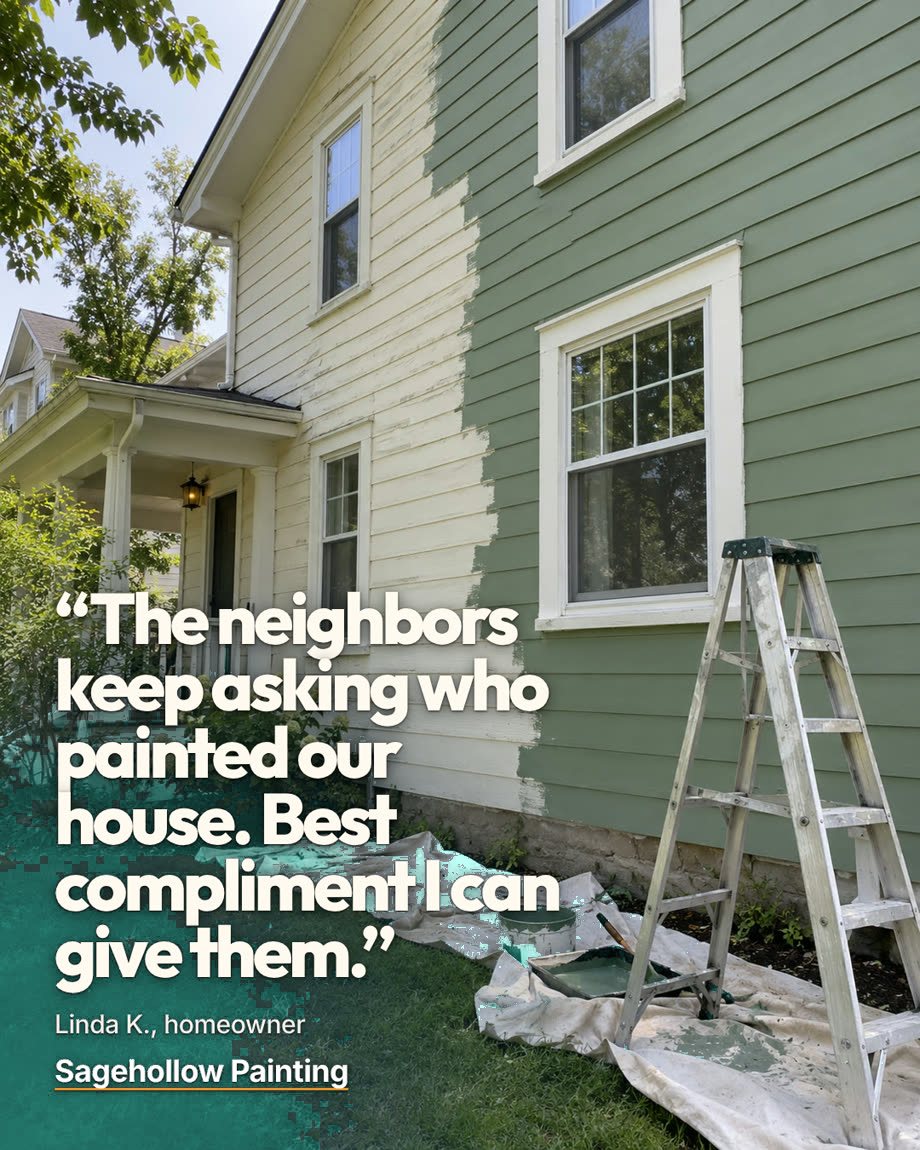
Here is a painter's version of the same idea. It is an example post for a demo company, and the quote is an example too.
What should I never do with customer reviews?
Never fake a review, trim one until its meaning changes, or promise more than your roof can. These mistakes turn a good post into a problem.
- Don't fake or buy reviews. Not one, not "just to get started." Google can remove them, and a post built on a fake quote does more harm than no post.
- Don't cut a review down to a fragment that changes the meaning. "Great, but they were two hours late" is not "Great." If you shorten a review, the short version must still say what the full one says. When in doubt, use the whole thing.
- Don't gate your reviews. That means only asking happy customers to review you, or steering unhappy ones somewhere private. Ask everyone the same way. It is honest, and the review profile you end up with is a real one.
- Don't promise what the roof cannot. If a customer writes "no more leaks, ever," a post that repeats it reads like your guarantee. Quote it only if your warranty backs it up, or use a different review.
How do I keep review posts going every week?
Post one review a week at most, and skip weeks freely. A review post should sit among a finished job, a tip and a seasonal note, not fill the page.
To keep review posts going every week without it eating your Friday, put a short habit around it. When a new Google review arrives, copy it into a note called "review posts." Send the permission text that day. On Friday, pick the one with a "yes" and a matching photo, and schedule it. The roofing social media post ideas give you thirty other posts to mix in around the reviews, so a week never has to be all quotes.
Reviews also earn their place in a storm week. After hail or wind, a quote from a customer you helped last season can carry more weight than a promise from you, so keep the caption factual. When the storm brings questions in the comments, answer them the way you would to turn Facebook comments and messages into roofing jobs.
Reviews are the proof and job photos are the evidence, which is the core of social media marketing for roofers. Treat the review post as one slot in the week, not the whole week.
Can plumbers and painters turn reviews into posts too?
Plumbers and painters can, using the same steps as roofers: a real review, the customer's OK, a matching job photo and a one-line thank-you.
A plumber pairs a burst-pipe quote with the repaired section, and a painter pairs a quote about clean lines with the finished trim, as social media marketing for painters shows. Other trades follow the same habit.
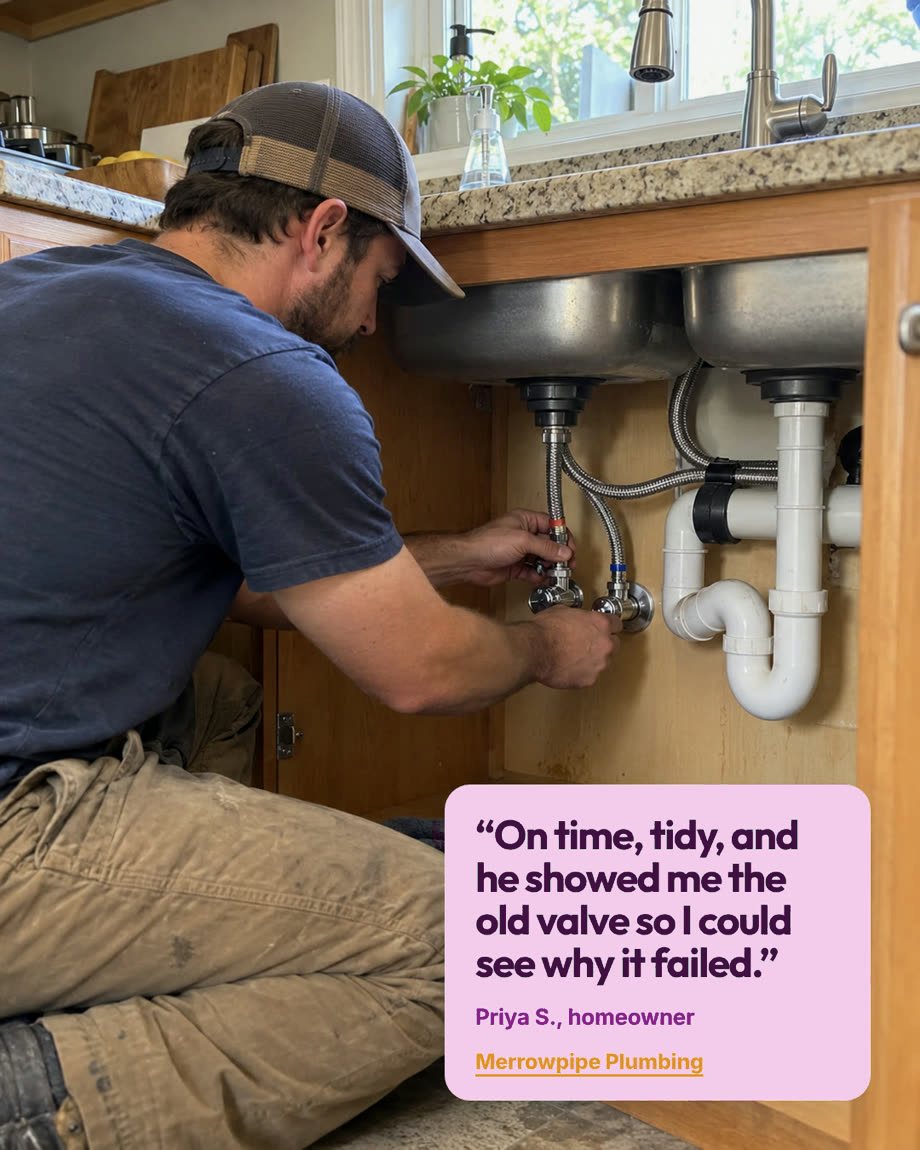
Here is a plumber's version. The company is a demo, and the review is an example.
Can CredibleAI turn my customer reviews into Facebook and Instagram posts?
CredibleAI turns a review you copy in into a post, quoted word for word, beside a photo from your jobs. The library is where you keep your photos and reviews in CredibleAI, and you copy each review into it yourself, so the words stay theirs. It posts to Facebook and Instagram, with a 7-day free trial and then $199 a month, or $1,999 a year. The owner, or someone they pick, approves every post, and nothing goes out without that.
Review post FAQ: what about the tricky cases?
Which reviews to skip, complaints, bad reviews, other sites and missing photos.
Should I post every review I get?
Posting every review is not worth it, so choose ones that name a leak, the crew or the cleanup. A short "great job" review adds little next to a photo. Keep those on Google and save your Friday post for a review with a matching photo.
Can I post a review that includes a complaint?
Posting a review with a complaint works when the customer agrees and you quote the whole review, complaint included. Cutting the complaint changes what they said. A review that mentions a slow start and a good finish reads as honest, so add one line on what you changed on the next job.
What should I do when a customer leaves a bad review?
Answering a bad review belongs on Google, calmly, where the customer wrote it, and never in a Facebook post. State what happened, offer to call, and keep it short. A public argument on your page makes both sides look worse. Once the problem is fixed, the customer may update the review.
Can I post a review that is not from Google?
A review from Facebook, Yelp, a text or an email works the same way. Ask the customer first, quote it exactly, and add a job photo, as you would to turn Google reviews into social media posts. Show a text as a screenshot only if they agree, because it shows their number.
What if I have a good review but no photo of that job?
A review without a photo of that job can go over a similar job's photo. The caption must say "a similar job" and never suggest it is the customer's house. Next time, shoot the eave, valley and finished ridge before you leave, so every review has a match.